
I didn’t expect this.
But I’ve accidentally turned Telegram into a control panel for my website.
For my side project, Tomorrow Times, I’m using a Telegram bot to manage predictions, review stories, and publish content without even opening admin.
It started as a small experiment.
Could I turn chat into an operational layer for a website?
The answer, surprisingly, seems to be yes.
A story comes in.
The bot scrapes the article, drafts a prediction market, writes a summary, suggests a close date, and sends me a card directly inside Telegram.
Instead of logging into Tomorrow Times, opening tabs, copying URLs, and navigating dashboards, I get a clean workflow inside chat.
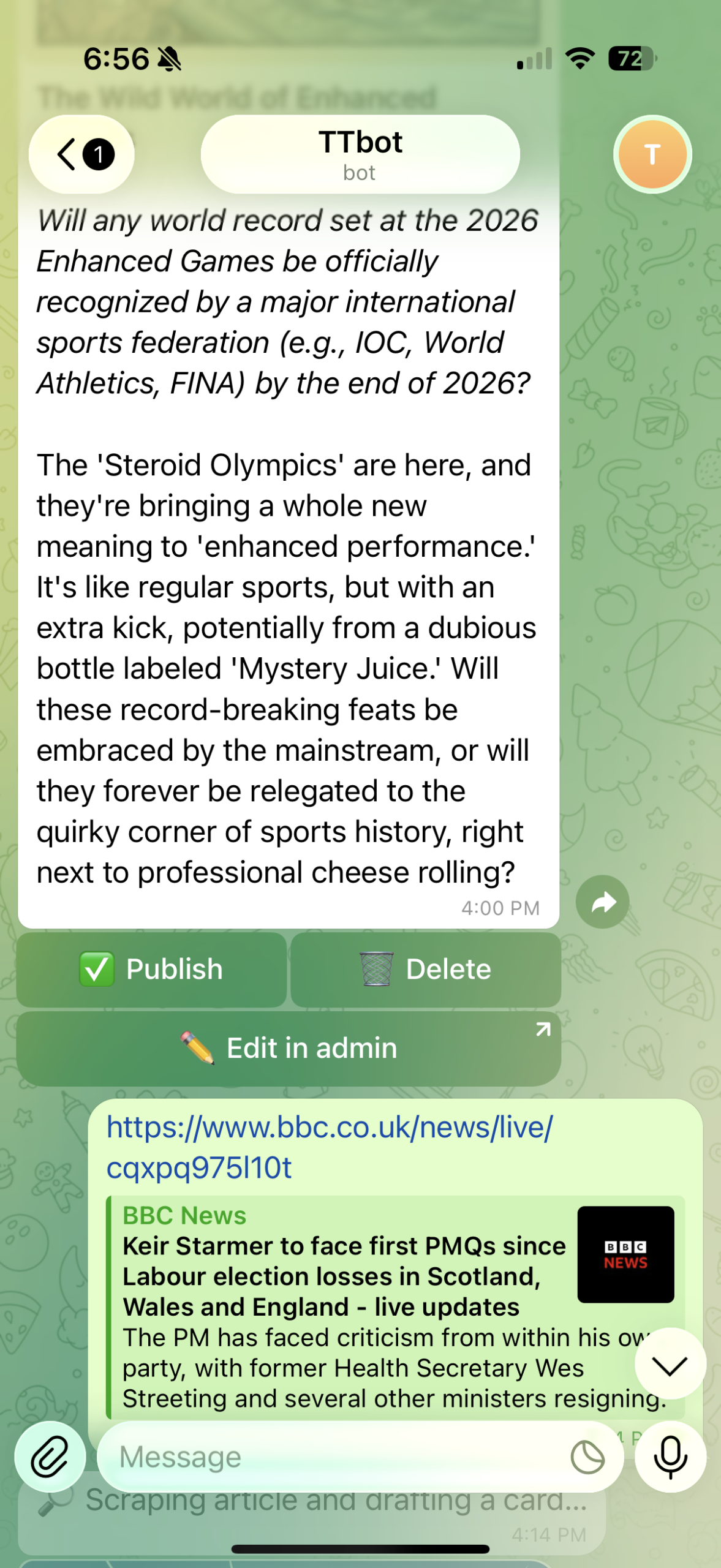
From there I can:
- ✅ Publish the story
- 🗑️ Delete it
- ✏️ Edit it in admin
- Change prediction close dates
- Trigger publishing workflows
- Manage social distribution
All from my phone.
No dashboard.
No CMS.
Just chat.
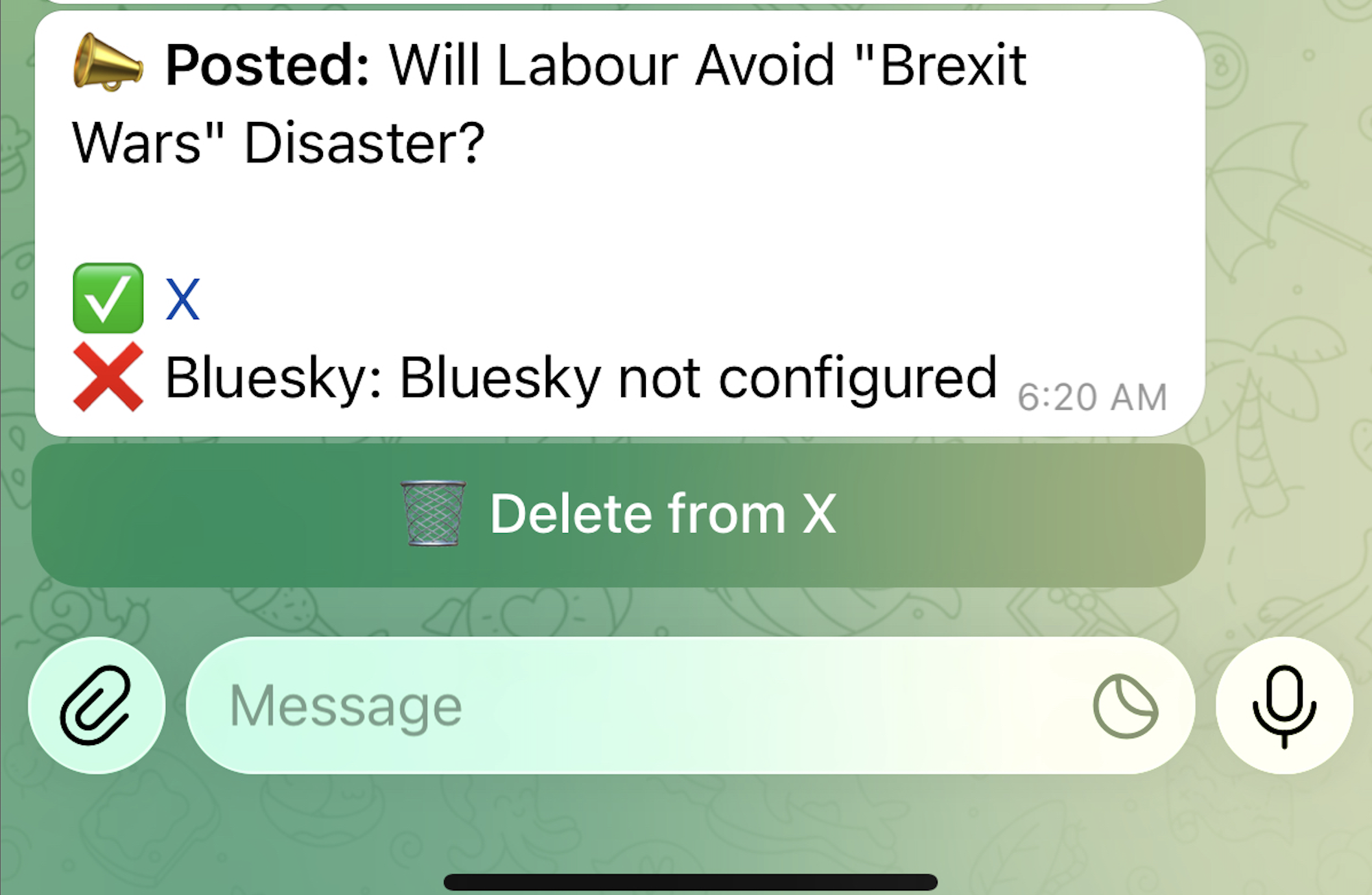
When I hit Publish, Telegram confirms what happened instantly.
In my case, it also checks whether social sharing is configured and reports back.
What surprised me most is how natural it feels.
Telegram is weirdly good as an operational interface.
Buttons, confirmations, workflows, editing actions, status updates. It feels less like messaging and more like a lightweight admin panel.
And because it’s chat, it’s fast.
You can make decisions in seconds.
Approve.
Reject.
Publish.
Move on.
Here’s what a live prediction looks like after publishing:

Autogenerating content from Telegram
I can also paste a link into Telegram and have Tomorrow Times generate a prediction question automatically.
So Telegram isn’t just a notification channel. It’s becoming a lightweight publishing interface for the whole site.
Why Telegram and Not WhatsApp?
When I started building this, I assumed WhatsApp would be the obvious choice.
After all, everyone uses WhatsApp.
But for managing and automating a website, Telegram feels far more powerful.
| Capability | Telegram | |
|---|---|---|
| Interactive buttons | ✅ Excellent | ⚠️ Good, but more limited |
| Bot flexibility | ✅ Very open | ⚠️ More restricted |
| Custom commands | ✅ Native (/publish) | ❌ No native command system |
| Admin-style workflows | ✅ Great | ⚠️ Possible, but less natural |
| Real-time controls | ✅ Easy | ⚠️ Possible with setup |
| Cost for automation | ✅ Free | ⚠️ Can become paid at scale |
| Setup friction | ✅ Low | ❌ More approval/setup hoops |
| API openness | ✅ Open Bot API | ⚠️ Business API focused |
For example, in Telegram I can:
- publish prediction stories
- change prediction close dates
- manage publishing workflows
- trigger social sharing
Could WhatsApp do some of this?
Technically, yes.
But it feels more like something you’d wrestle with.
Telegram, on the other hand, feels oddly close to a lightweight operating system for your website.
That’s the thing I didn’t see coming.
I went into this thinking of Telegram as a messaging app.
I’m increasingly thinking of it as an interface layer.
Not for everything.
But for fast decisions, moderation, approvals, publishing, and lightweight workflows?
It’s ridiculously effective.
And I suspect most people are massively underestimating what chat interfaces can do for websites.


Leave a Reply