
Setting Up Application Passwords Per User Profile
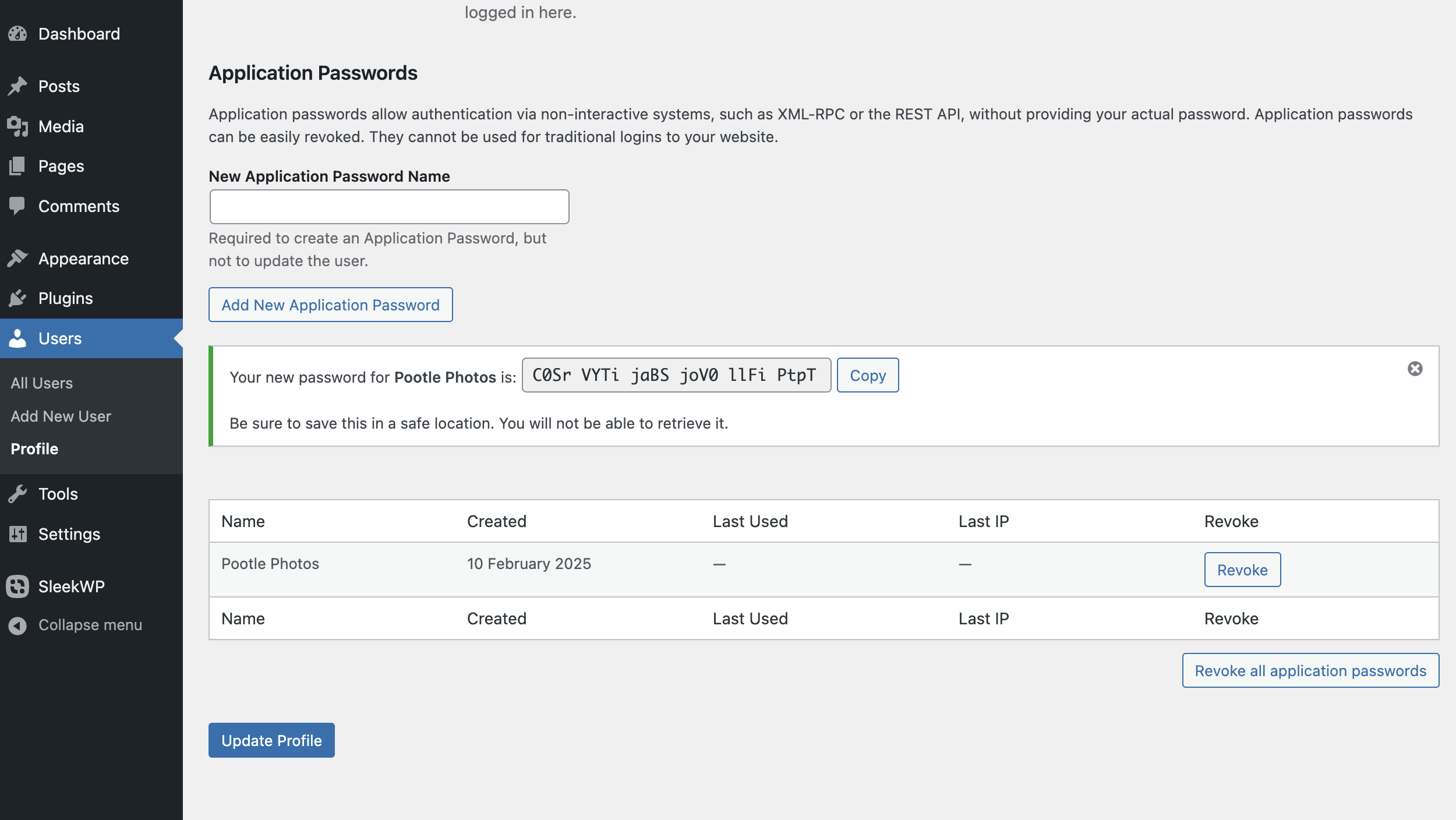
Each user can generate their own application passwords from their WordPress profile. Here’s how:
- Log in to WordPress with the desired user account.
- Go to the Profile Page:
- Navigate to Users > Profile (or Your Profile under the admin bar).
- Locate the Application Passwords Section:
- Scroll down until you find the Application Passwords section.
- Generate a New Application Password:
- Enter a descriptive name for the password (e.g., “Zapier Integration” or “Mobile App Access”).
- Click Add New Application Password.
- WordPress will generate a 24-character password.
- Copy and Store the Password Securely:
- You won’t be able to see it again after closing the page.
- Use a password manager to store it securely.
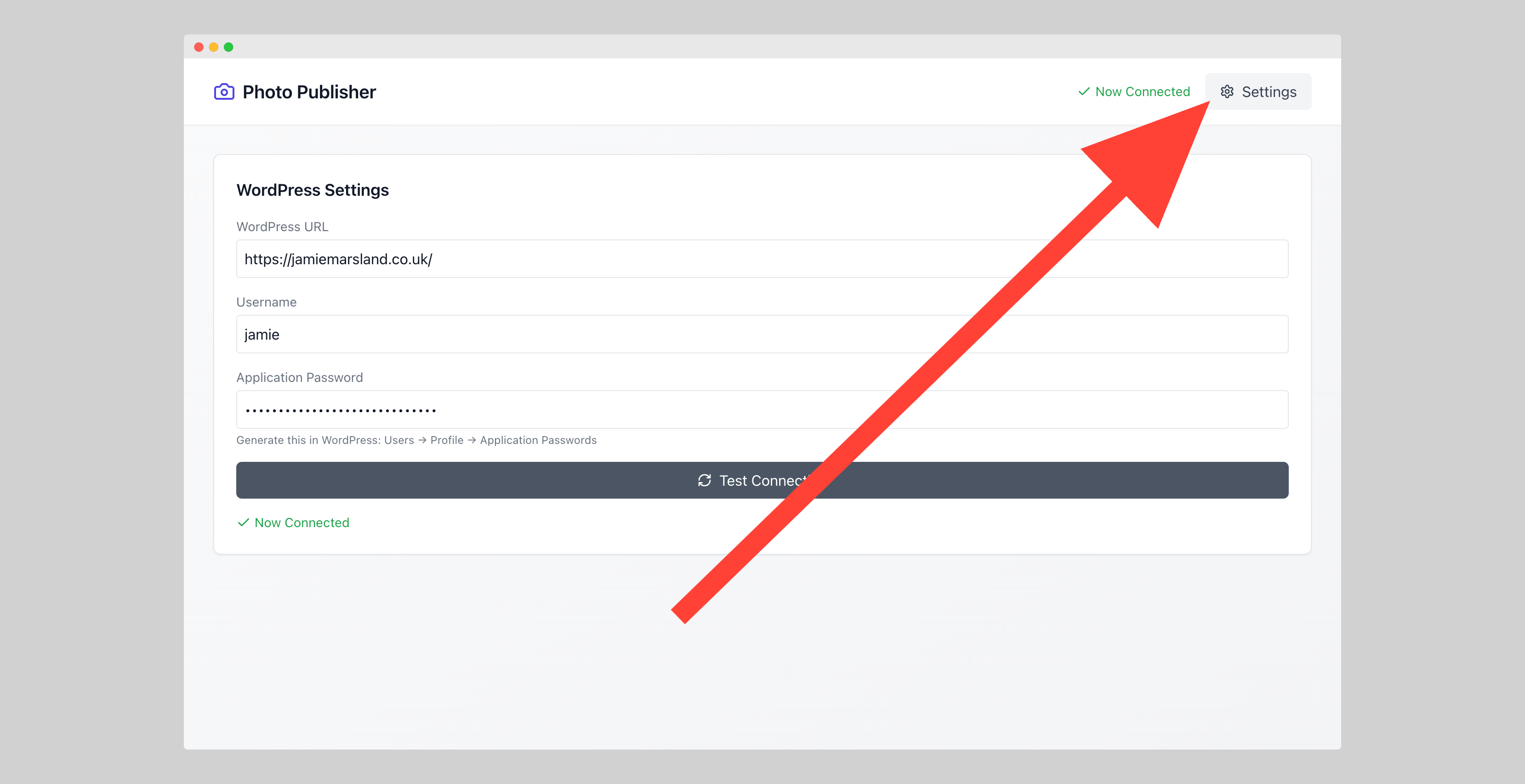
Using in PootlePhotos
Leave a Reply