
POOTLEPRESS / BLOCK INJECTOR
The right content.
In the right place.
Create a layout once. Choose where it appears across your pages, posts and WooCommerce store, and schedule when it goes live.
Meet Block Injector.
LESS REPETITION. MORE CONTROL.
One layout. Lots of possibilities.
Seasonal promotions
Show a sale banner or coupon in selected parts of your store, with a start and end date.
Forms across your articles
Place a contact form in multiple posts without adding it to every article by hand.
Relevant advertising
Choose specific posts for an advertising slot and exclude the places where it doesn’t belong.
FIVE SIMPLE STEPS
Create it. Place it. Schedule it.
01
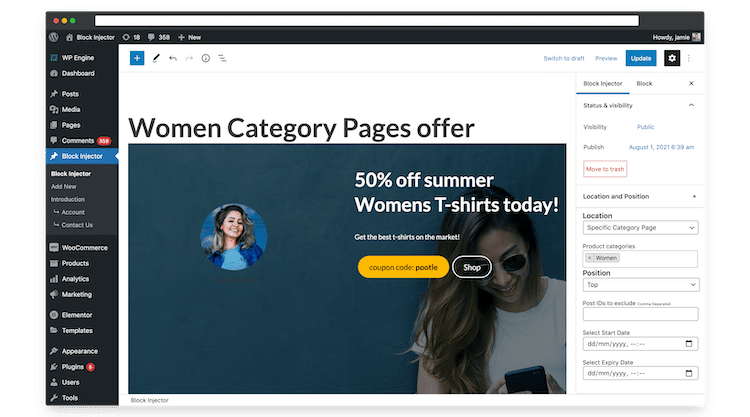
Create your layout
Use the WordPress block editor to build the content you want to display. Bring your blocks together into a layout that fits your site.
02
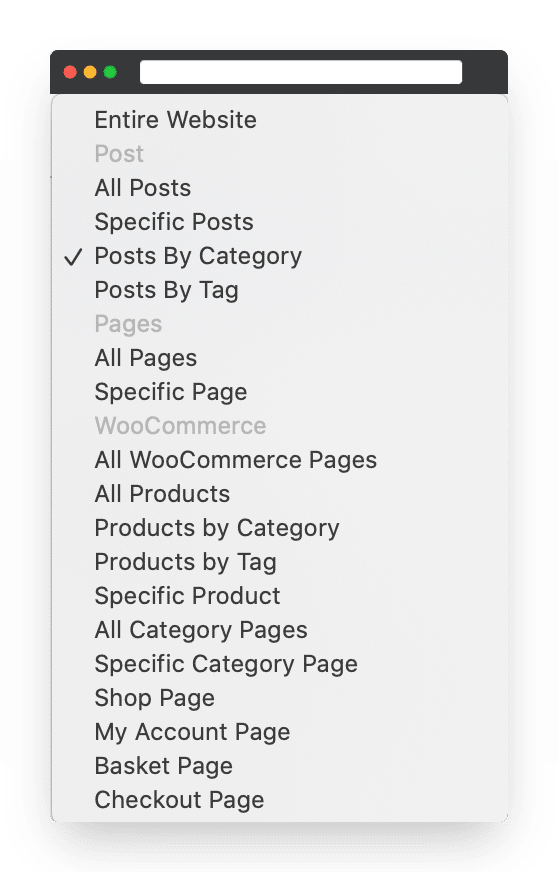
Choose the location
Select the pages, posts or WooCommerce areas where your content should appear.
03
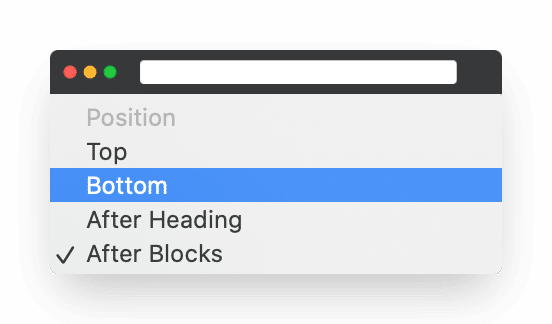
Pick the position
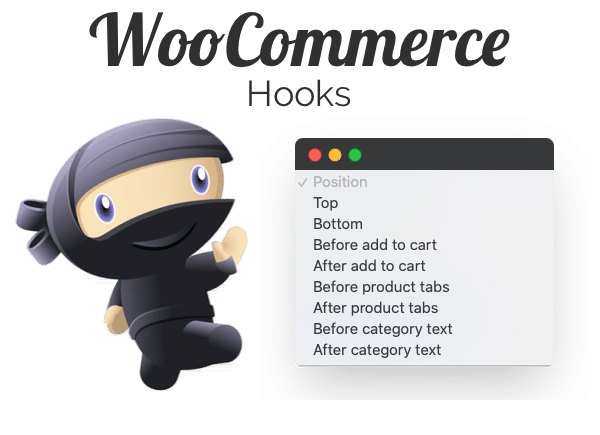
Choose where the content sits on the page. WooCommerce product-page hooks give you shop-specific positions too.
See the WooCommerce positions
04
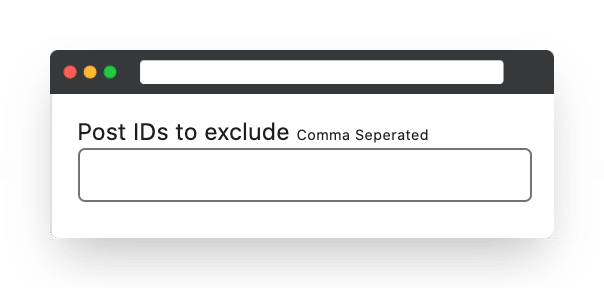
Leave out the exceptions
Exclude specific post IDs when you want to keep a page or post out of your selection.
05
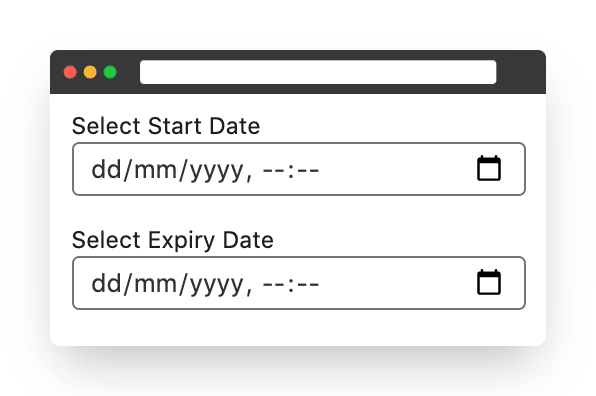
Set the schedule
Optionally choose a start and end date and time. Useful when your content belongs to a particular campaign or season.
BUILT FOR YOUR SHOP, TOO
Give every part of your store a little attention.
Block Injector includes WooCommerce locations for shop pages, category pages, product pages, the cart, checkout and account pages.
IN GOOD COMPANY
Useful in the real world.
WP TAVERN REVIEW
Block Injector really shines when paired with WooCommerce. The development team added several shop-specific location options. They also expanded on the positioning rules to utilize a range of WooCommerce hooks. This can create a powerful set of tools for store owners, particularly for seasonal sales. For example, users can display a coupon for the month leading up to Christmas.
Read the full review ↗
A CUSTOMER’S EXPERIENCE
Block Injector has saved me tons of time by allowing me to insert contact forms into numerous articles in one go while empowering me to set up bespoke advertising slots in specific posts in minutes. While I’ll always be working on improving my site, Block Injector has become a trusted friend in speeding up the process and enabling me to deliver a great reading experience for my audience.
aka Mr X Stitch
GET BLOCK INJECTOR
Put your next idea in place.
Explore the available licences and trial options.
Block injector
$49 / year
 1 site license
- 1 year support and updates
- 14-day money back guarantee
Ecommerce bundle
$246 / year
$125 / year
- Single site
- Storefront Blocks
- WooBuilder Blocks
- Gutenberg pro
- WooHoo Bar
- Block Injector
- Storefront pro
GOOD TO KNOW
A few helpful answers.
Can I use Block Injector without WooCommerce?
Yes, absolutely. Block Injector works great with or without WooCommerce installed.
Does Block Injector work on all Themes?
Yes, Block Injector works on all Themes.
What is your refund policy?
We offer a 14-day refund if you are not happy for whatever reason with Block Injector.
Can I cancel my subscription at any time?
Yes, you can. The licence gives you access to one year’s support and updates. You can cancel and Block Injector will carry on working, however, you won’t get updates and support in year two, so we recommend keeping an active subscription.
Does Block Injector work on content that has been created using the Classic Editor?
Yes Block Injector works on pages and posts that have been created with the Classic Editor.
What’s on the roadmap?
The existing roadmap includes hooks for other plugins and custom post types. These are planned additions, rather than features listed above.
Create once. Put it to work.
Need a hand? Email Jamie.